> ## Documentation Index
> Fetch the complete documentation index at: https://help.messagesync.ai/llms.txt
> Use this file to discover all available pages before exploring further.
# Update Marketplace App to Enable iMessage
> If you installed the marketplace app , you won't see iMessage as a channel in Conversations until you update it. The flow is now a single click - no uninstall/reinstall required.
Conversation providers are refreshed when the marketplace app is updated on a sub-account. Clicking **Update** pulls in the latest provider list, which is what makes **iMessage** show up alongside your other channels.
***
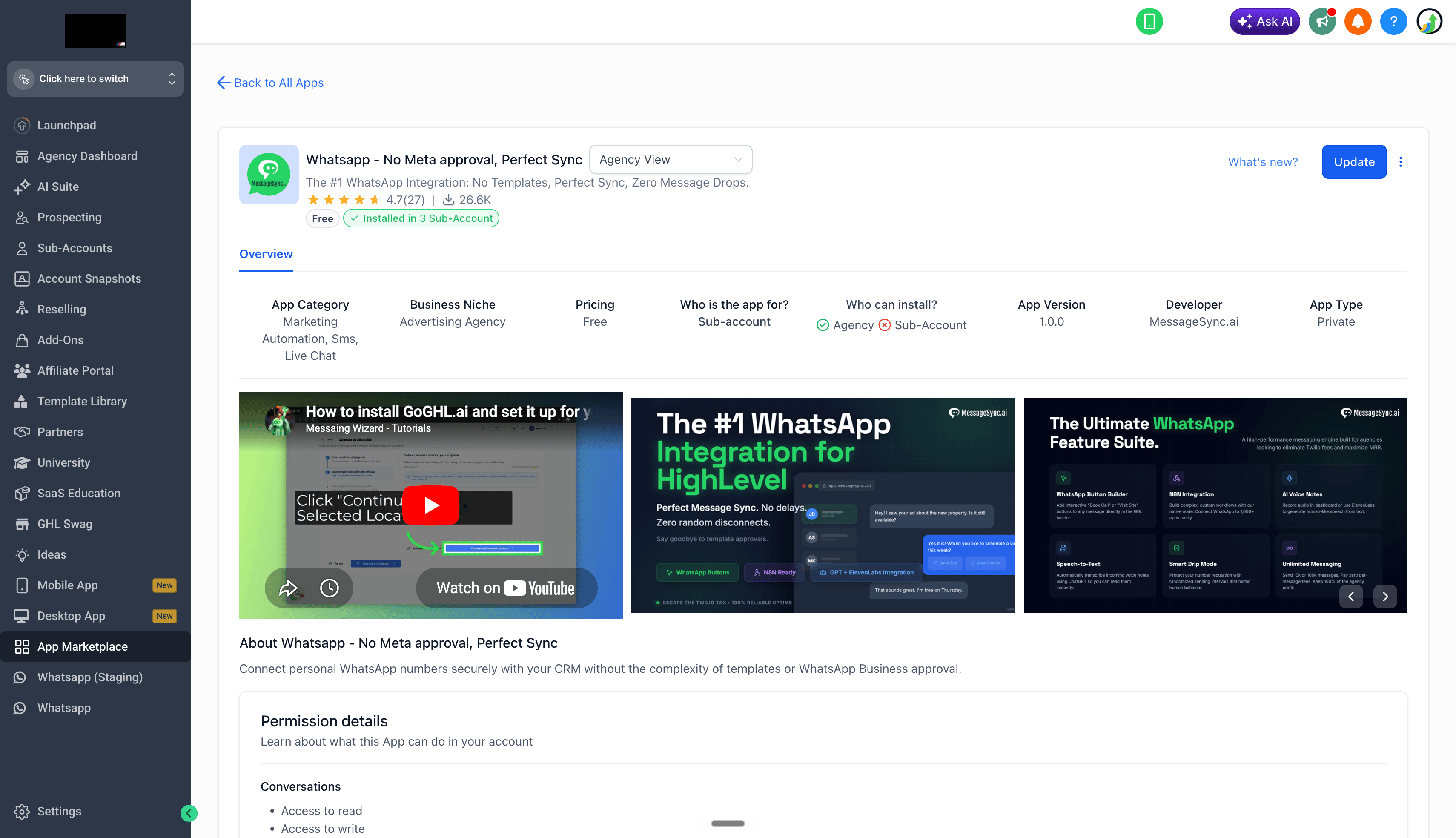
Open the marketplace app's page in your CRM and click **Update** in the top right.
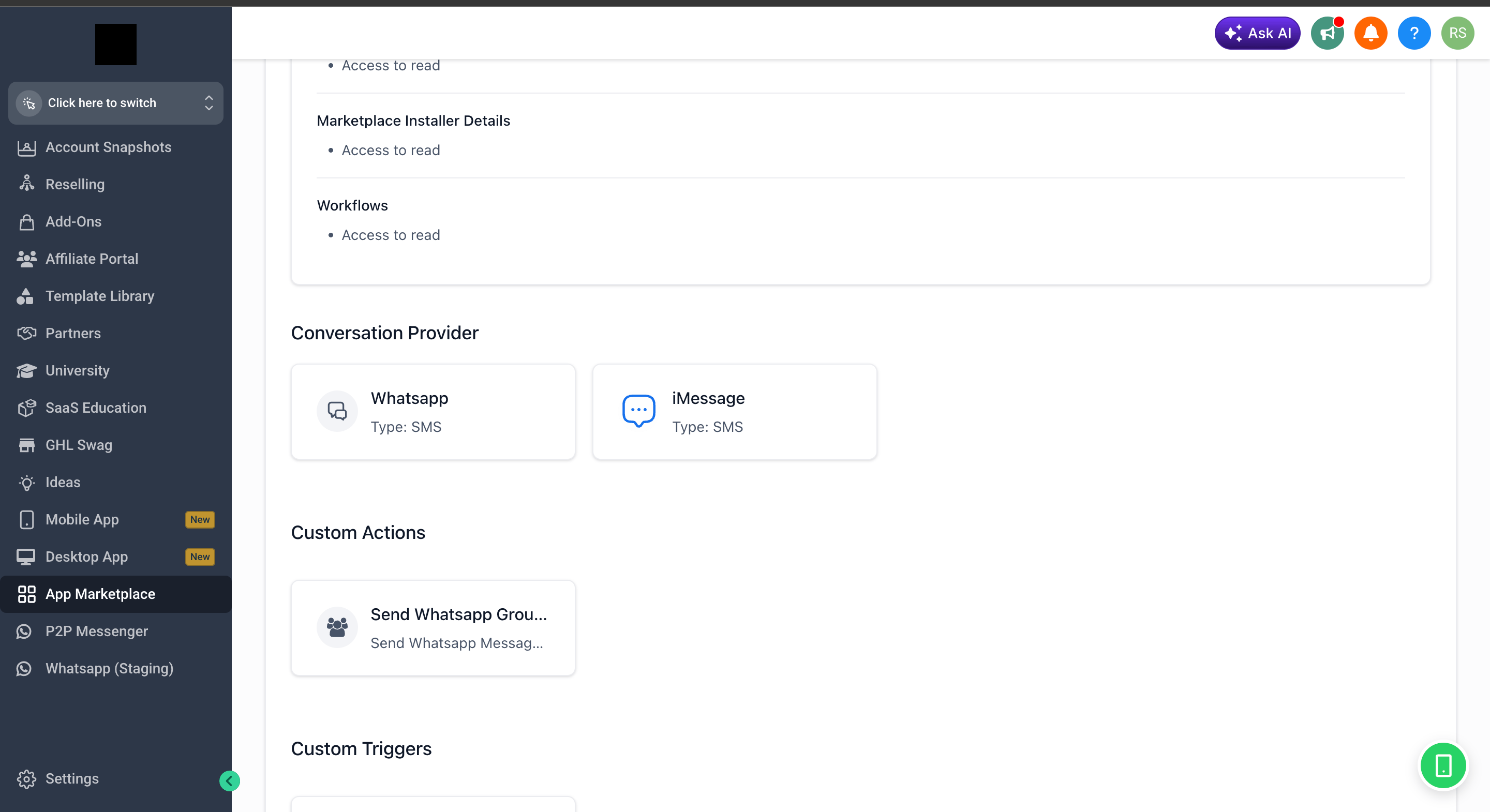
 Scroll down the app details page to the **Conversation Provider** section - you should now see **iMessage** listed alongside your existing providers.
 Head into **Conversations** in your sub-account - iMessage is now selectable as a channel from the message composer dropdown.
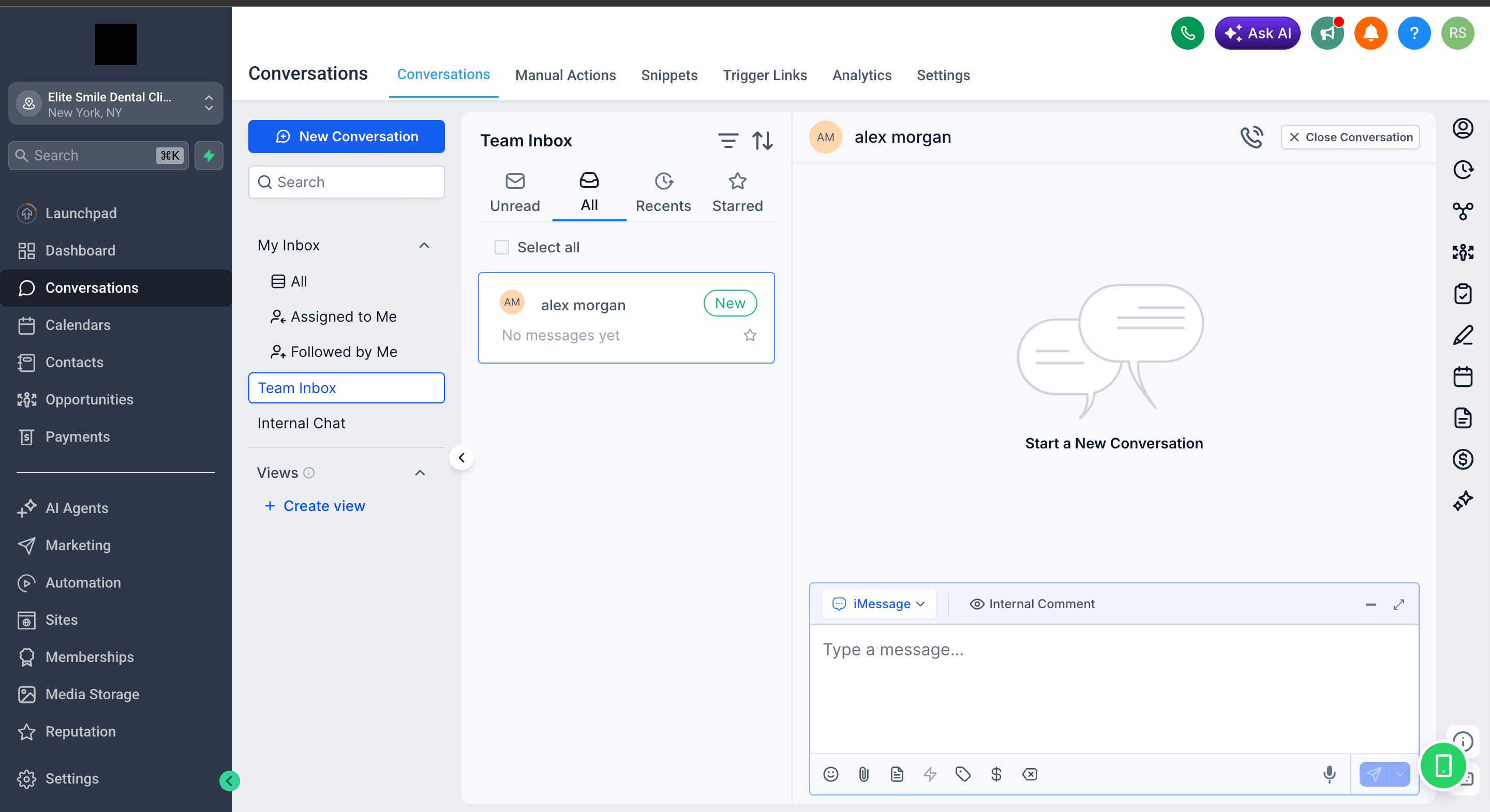 Your sub-account now has iMessage as a native conversation channel. If you haven't yet set up the Mac sync app, head back to the [iMessage Full Setup](/es/imessage/getting-started) guide to finish the rest of the flow.
***
## Soporte[](#soporte "Enlace directo al Soporte")
Si necesitas ayuda con la configuración o incorporación:
* Email: [**support@messagesync.ai**](mailto:support@messagesync.ai)
Your sub-account now has iMessage as a native conversation channel. If you haven't yet set up the Mac sync app, head back to the [iMessage Full Setup](/es/imessage/getting-started) guide to finish the rest of the flow.
***
## Soporte[](#soporte "Enlace directo al Soporte")
Si necesitas ayuda con la configuración o incorporación:
* Email: [**support@messagesync.ai**](mailto:support@messagesync.ai)