

What It Does
The Voice Notes feature allows you to record and send audio messages directly from your CRM dashboard to WhatsApp. With this, you don’t have to switch devices or apps - you can manage client communication in one place while adding a more personal, human touch to your outreach.Key Benefits
- Send voice messages directly from the CRM conversation tab.
- Keep all communication (text + audio) inside your CRM.
- Provide a personal experience for your clients while saving time.
- Available for all sub-accounts once enabled.
Who Can Use It
- Agencies who want to offer their clients a more interactive communication channel.
- Sales teams that prefer sending voice updates instead of long texts.
- Support teams that need to quickly respond with explanations.
- Coaches, consultants, and realtors who use WhatsApp daily for client communication.
How to Use
How to Send Voice Notes Using Workflows
You can also send pre-recorded voice notes automatically using CRM Workflows. This is useful for automated follow-ups, welcome messages, or drip campaigns where you want to add a personal touch without manual effort.Steps
That’s it! Your voice note will now be sent automatically whenever the workflow is triggered.
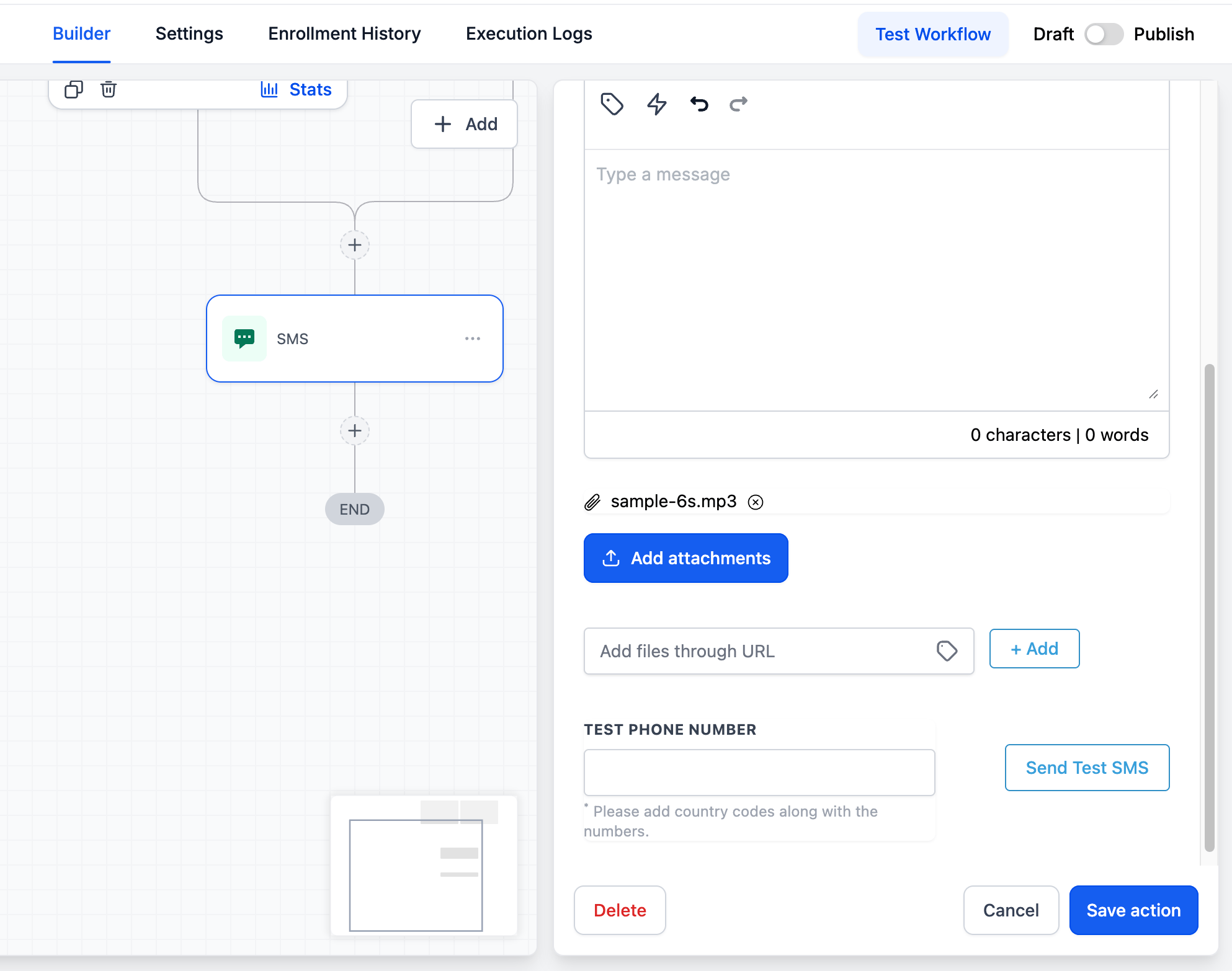
Record your voice note in advance and keep it short (under 60 seconds) for the best engagement.
Support
If you face any issues while setting this up or need help onboarding your team, reach out to us via:- Email: support@messagesync.ai
FAQs
Where do I find the voice recording button?
Where do I find the voice recording button?
Can I use this alongside regular text messaging?
Can I use this alongside regular text messaging?
Yes. Voice notes complement your existing text messages and workflows inside CRM.
How do I disable it for a specific sub-account?
How do I disable it for a specific sub-account?
Remove or override the custom JS at the agency level if you need to disable globally. For per-location control, contact support.