

The big picture: You’re no longer limited to one channel. To send WhatsApp messages you use the WhatsApp QR channel, and to send iMessages you use the iMessage channel-all from the same Conversations inbox.
Sending WhatsApp messages
To send WhatsApp messages, use the WhatsApp QR channel. We’ve built our own dedicated channel called WhatsApp QR. Instead of piggy-backing on the SMS provider, WhatsApp QR is a purpose-built conversation provider for WhatsApp.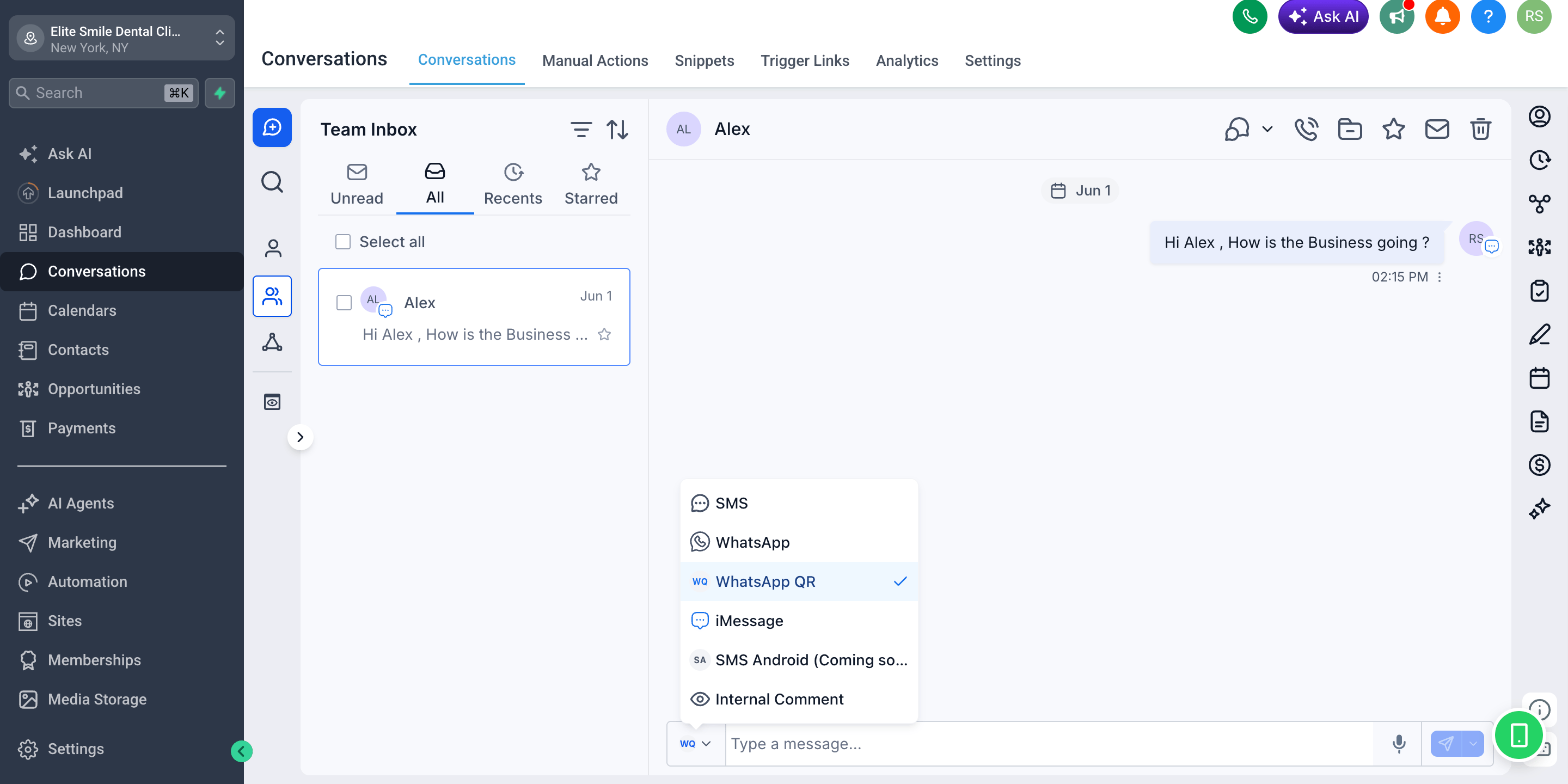
Sending iMessage messages
To send iMessages, use the iMessage channel. By connecting an Apple device (a Mac running the iMessage Sync app), you can send and receive iMessages directly from CRM Conversations.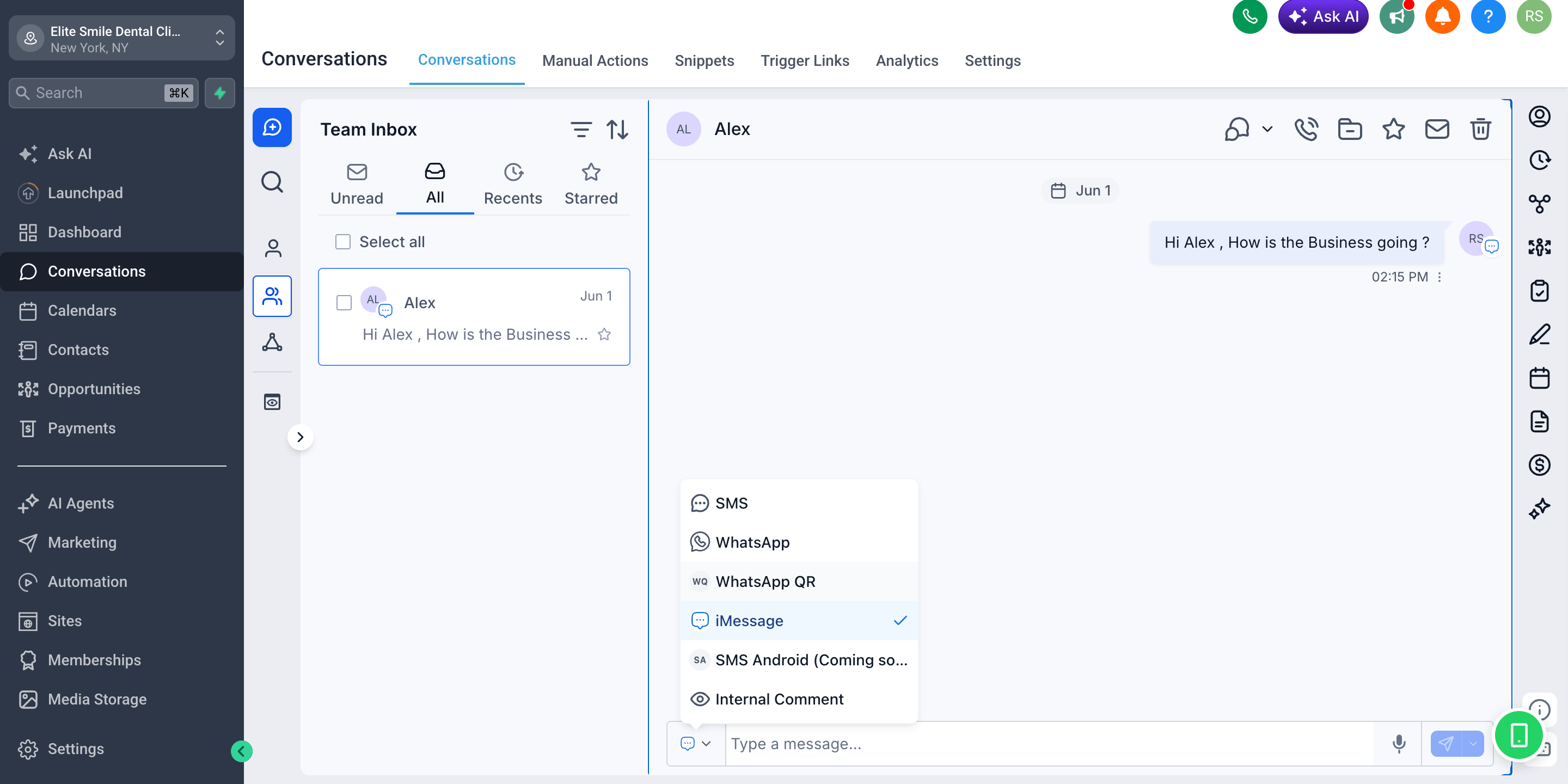
- Blue-bubble messages land natively in the recipient’s Messages app
- Reach iPhone users on the channel they use most
- Two-way replies sync back into the Conversations inbox
- Automatic SMS fallback when the recipient isn’t on iMessage
Sending SMS Android messages
To send standard SMS, use the SMS Android channel. By connecting an Android device, you can send and receive SMS directly from CRM Conversations.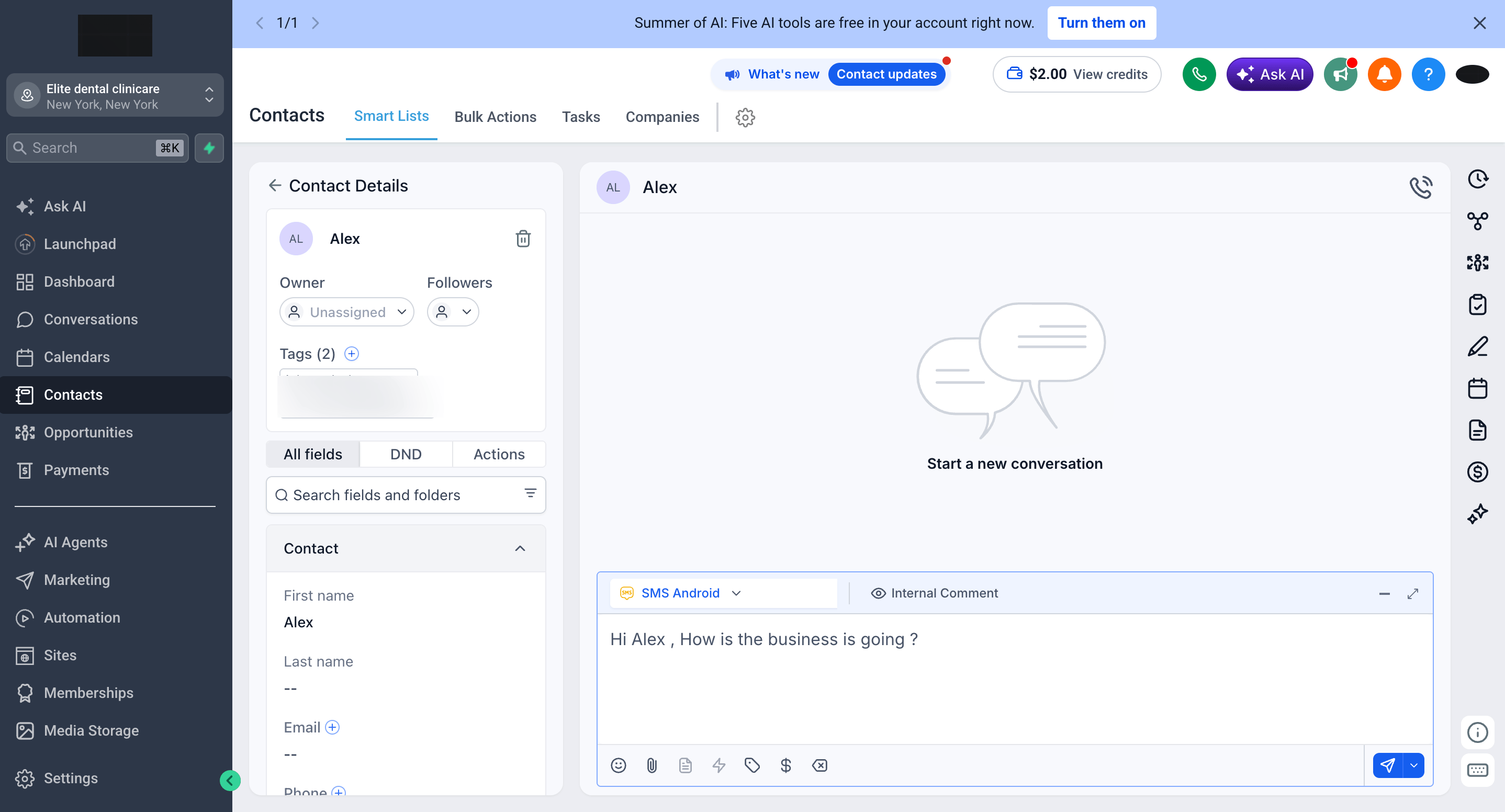
Available providers
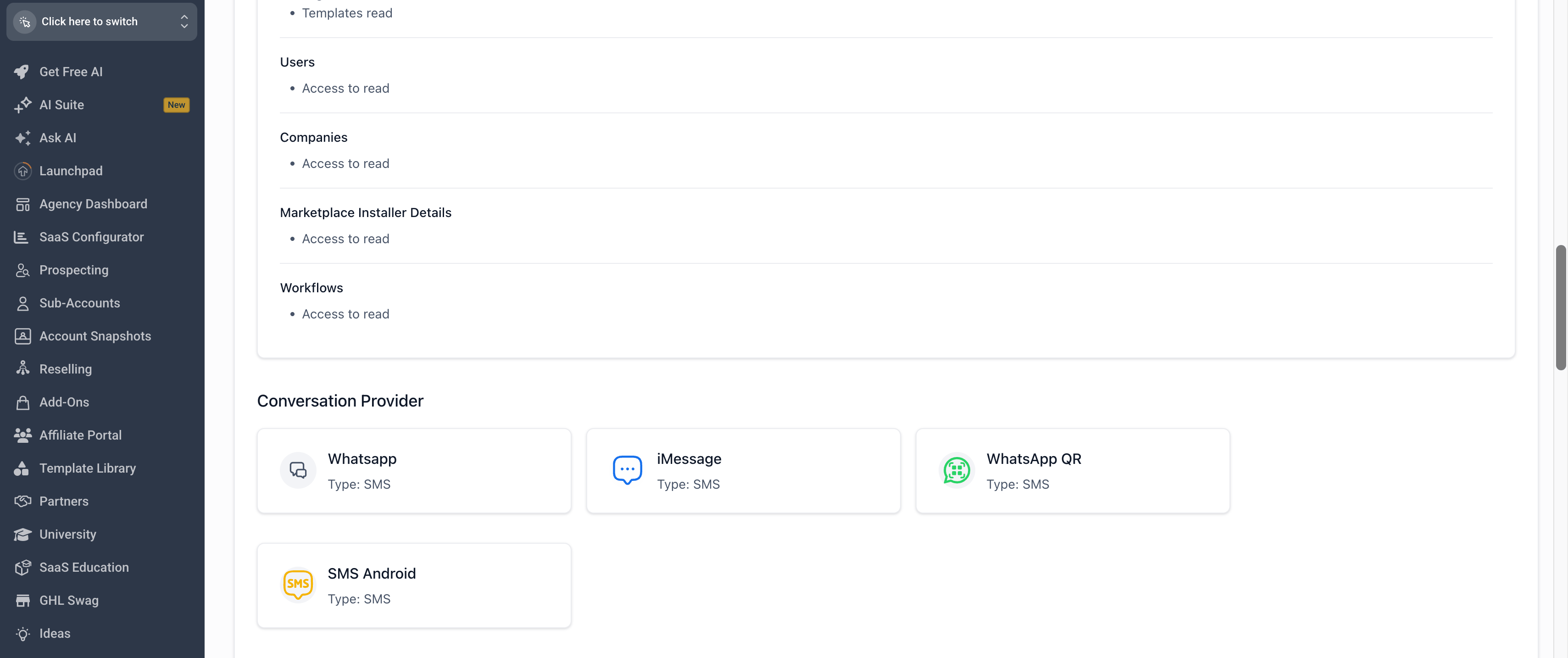
All custom providers register under the SMS message type in CRM. This is what lets them appear in the Conversations composer alongside native channels-it does not mean the messages are sent as carrier SMS.
FAQs
Why do all the providers show 'Type: SMS'?
Why do all the providers show 'Type: SMS'?
Custom conversation providers register under CRM’s SMS message type so they appear in the Conversations composer. It does not mean messages are sent as carrier SMS-WhatsApp QR sends over WhatsApp and iMessage sends over iMessage.
Can I send iMessages from CRM?
Can I send iMessages from CRM?
Yes. By connecting an Apple device running the iMessage Sync app, iMessage becomes a custom provider you can select in the composer. See the iMessage Documentation hub for setup details.
How do I switch channels for a single contact?
How do I switch channels for a single contact?
Open the conversation, click the channel dropdown in the message composer, and choose the provider you want (SMS, WhatsApp, WhatsApp QR, or iMessage). The selection is remembered for that conversation until you change it.
Support
If you need help with the setup or onboarding:- Email: support@messagesync.ai