

Every feature shown here becomes available after the single agency-level
script is added. Toggle each feature on or off from your dashboard.
Audio Note
Record and send voice messages from inside the conversation. Add a more personal, human touch to your outreach without leaving the CRM conversation tab.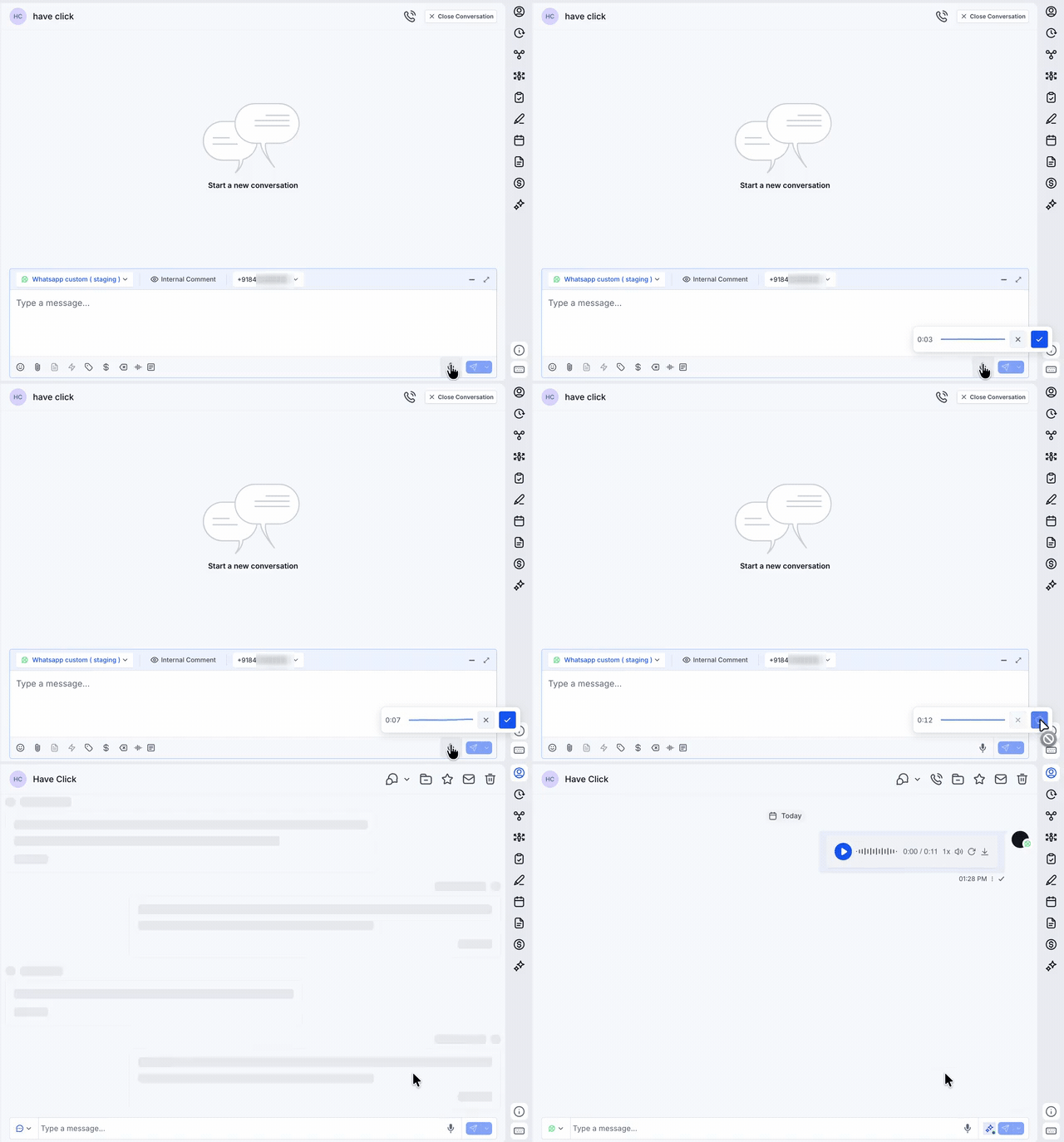
Text-to-Speech Formatter
Convert text into a voice message using TTS voices. Type your message and send it as natural-sounding audio directly in the conversation.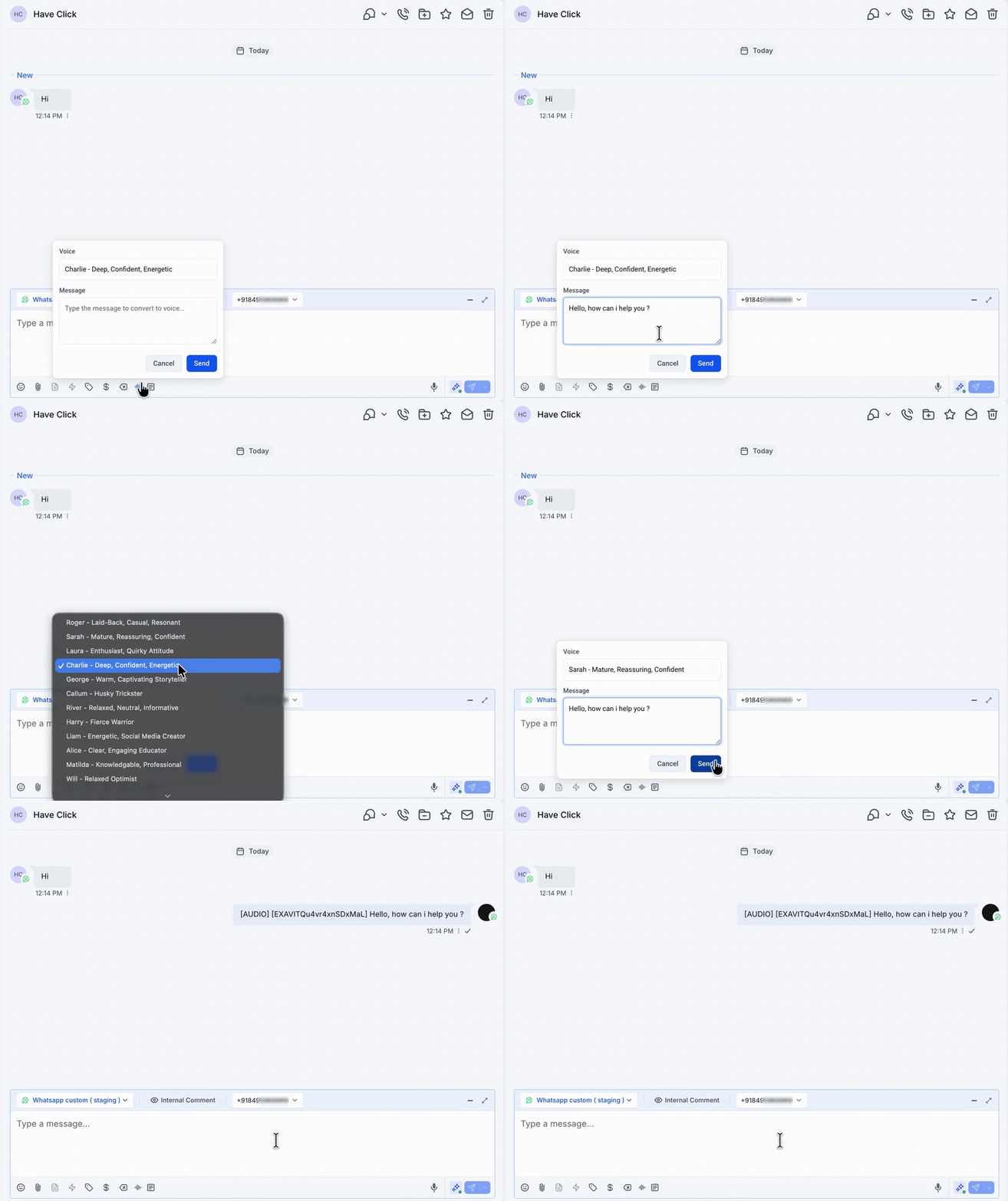
Button Builder
Add a pop-up builder for creating tappable message buttons. Compose interactive button messages visually instead of formatting them by hand.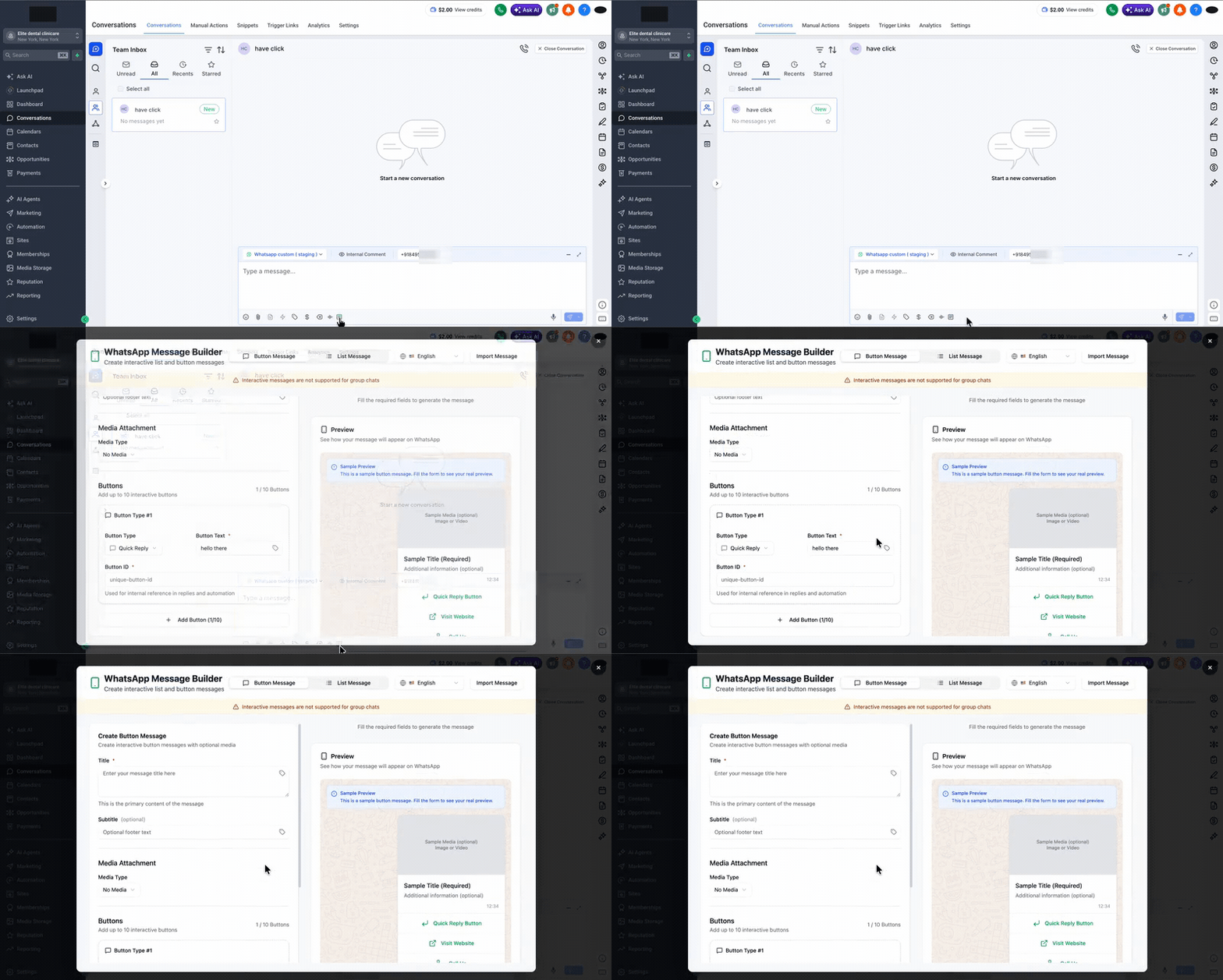
Read Receipts
Show when contacts have read the messages you send in chat, so you always know whether your message has landed.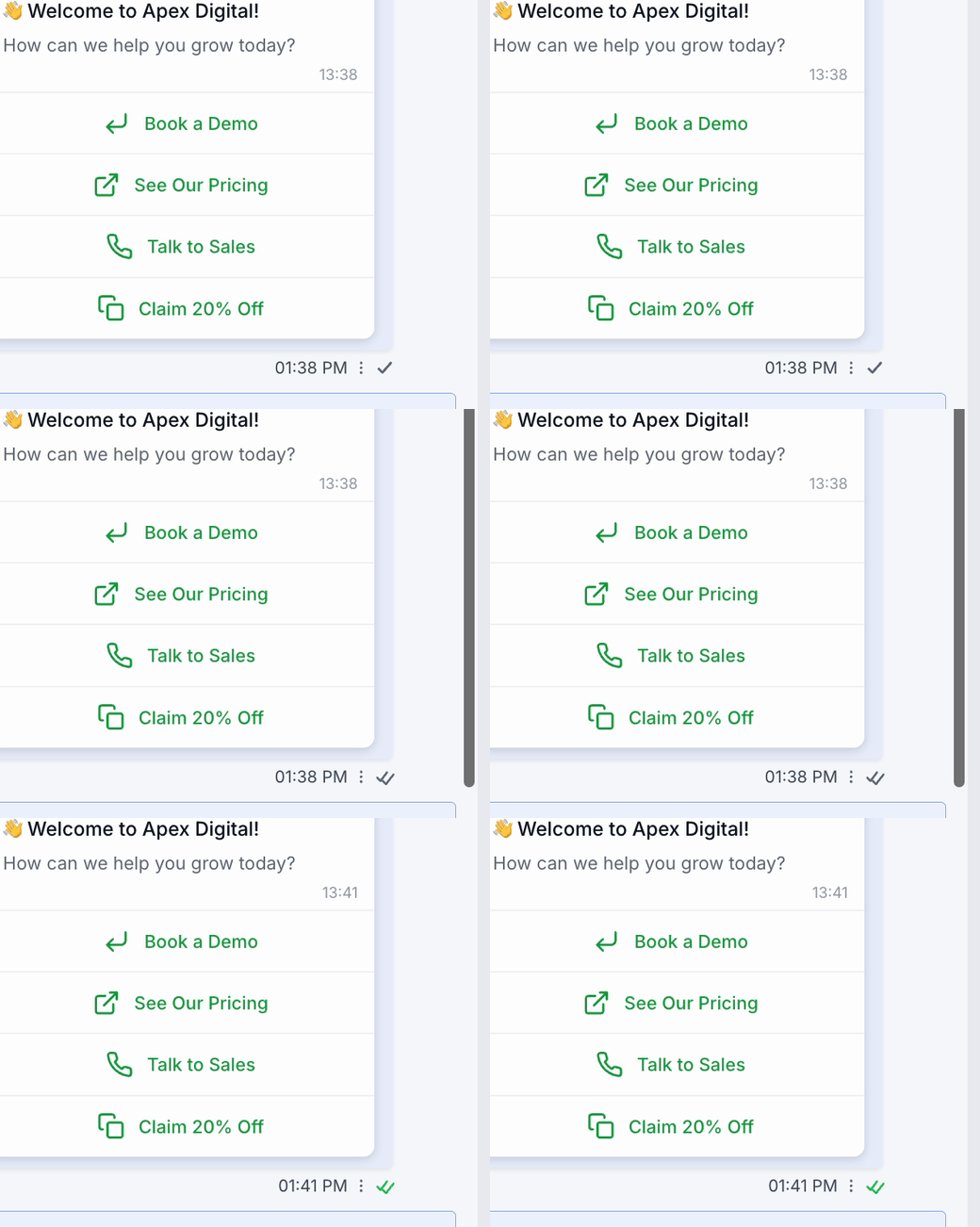
Reply Formatter
Quote the original message when replying to a contact, giving every reply clear context inside the conversation.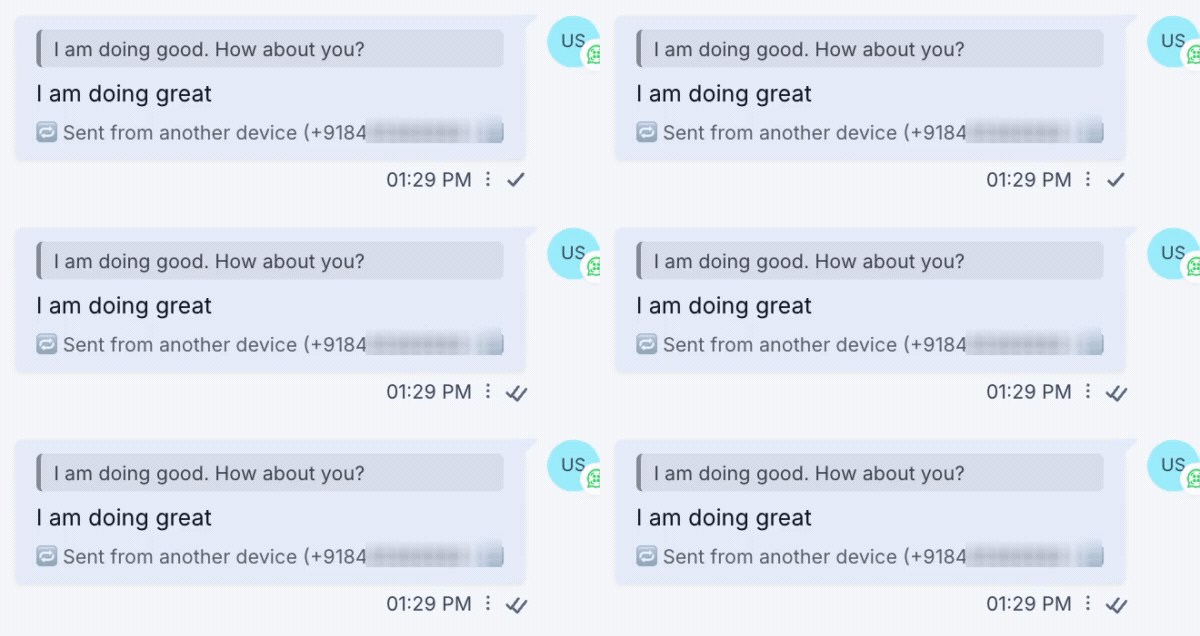
Interactive Message Preview
Show interactive messages exactly as they appear on WhatsApp inside the conversation, so you can preview what your contact will see before and after sending.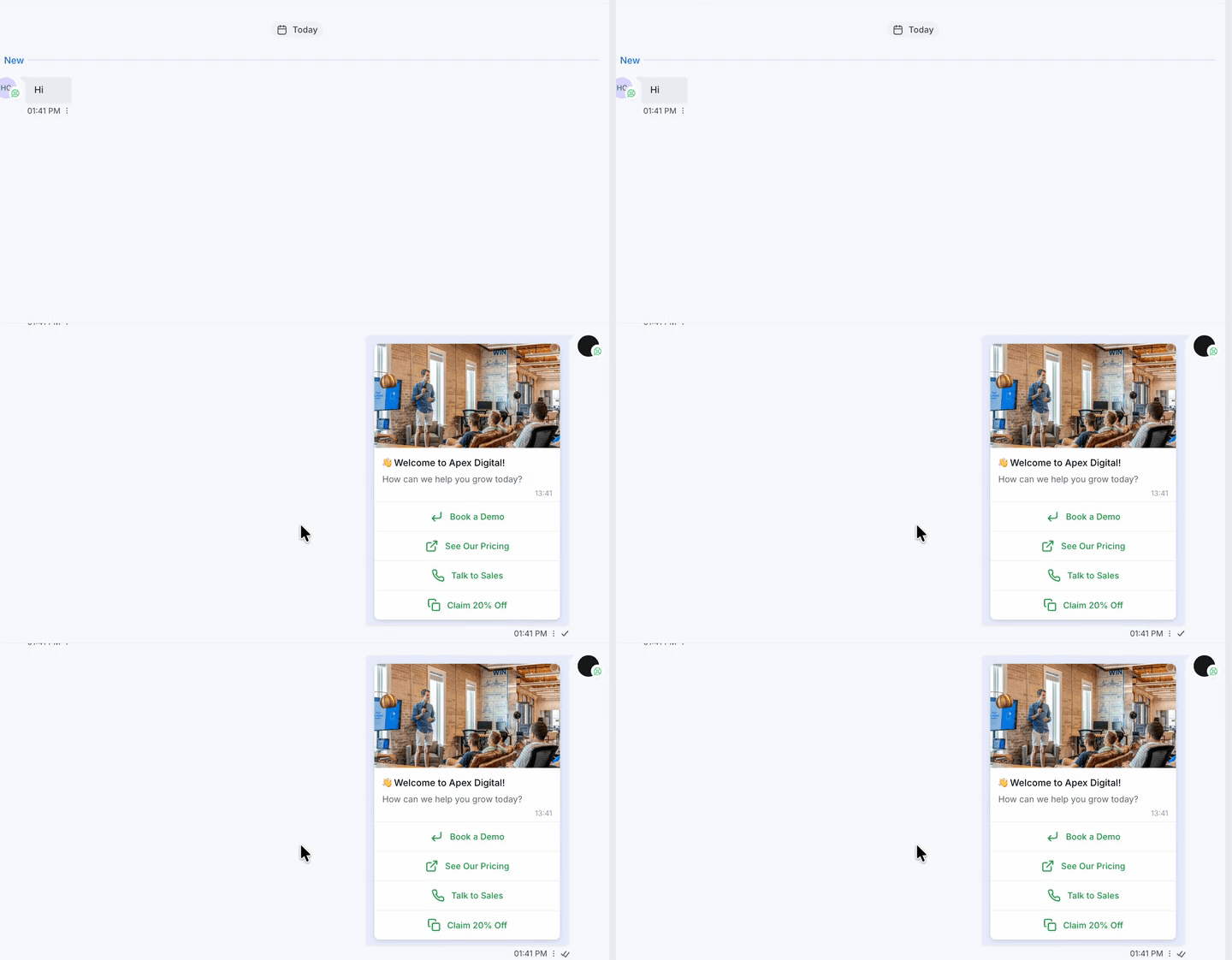
WhatsApp Number Picker
Choose which WhatsApp number each message is sent from, making it easy to manage multiple numbers from one conversation view.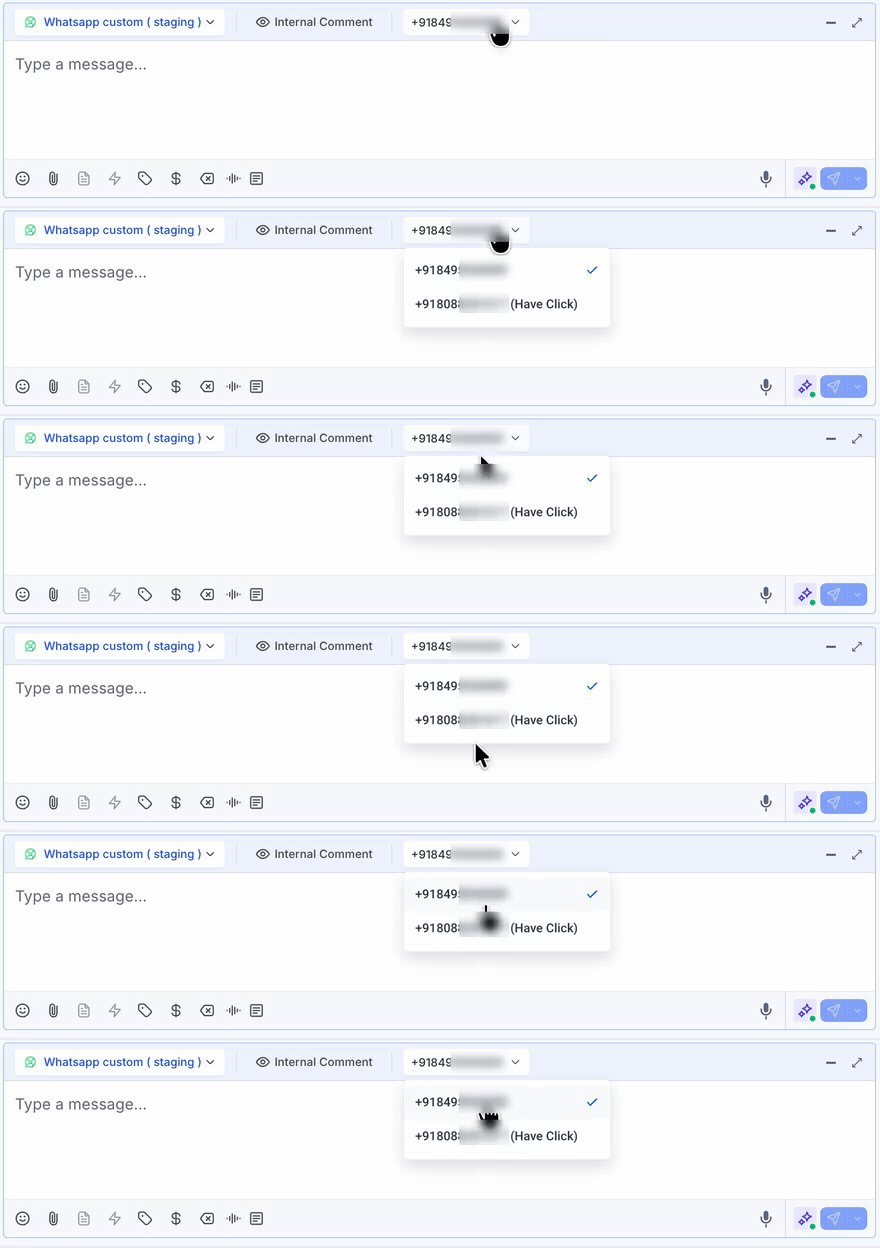
WhatsApp Reactions
React to WhatsApp messages with emojis from inside the conversation. Hover over any message, pick an emoji from the reaction bar, and it syncs instantly to your phone. It works the other way too: react on your phone and the reaction shows up in the CRM.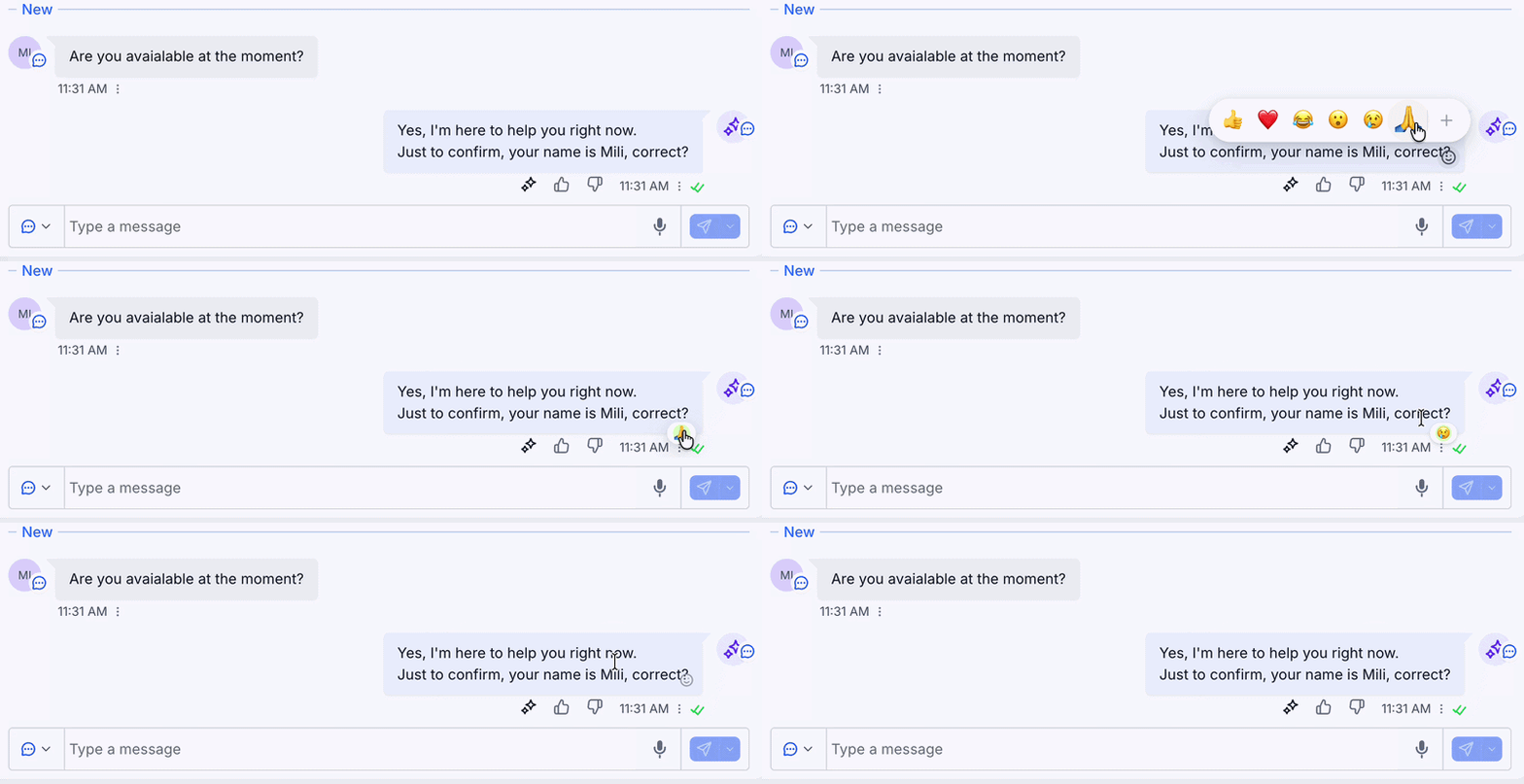
Call Channel Badge
Show which channel each call came through, right on the call entry in the conversation. A small channel icon appears next to the call log, so you can see when a call came through WhatsApp.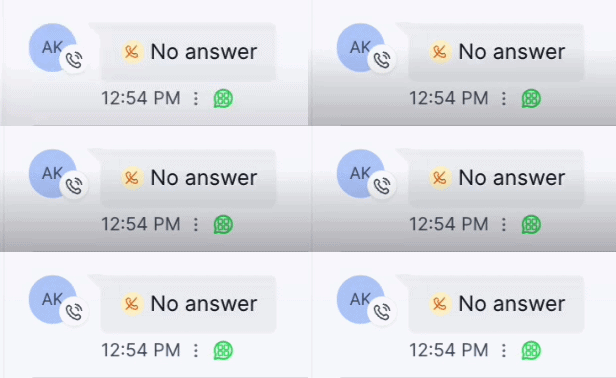
Support
If you need help enabling any of these features, reach out to us via:- Email: support@messagesync.ai