

- Trigger workflows on inbound or outbound WhatsApp messages
- Send WhatsApp messages programmatically
- Build complex automation logic using n8n’s ecosystem
- Combine messaging with external tools, APIs, CRMs, and databases
Prerequisites
Before getting started, ensure you have:- An active account
- Access to n8n (self-hosted)
- Permission to create API keys in integration dashboard
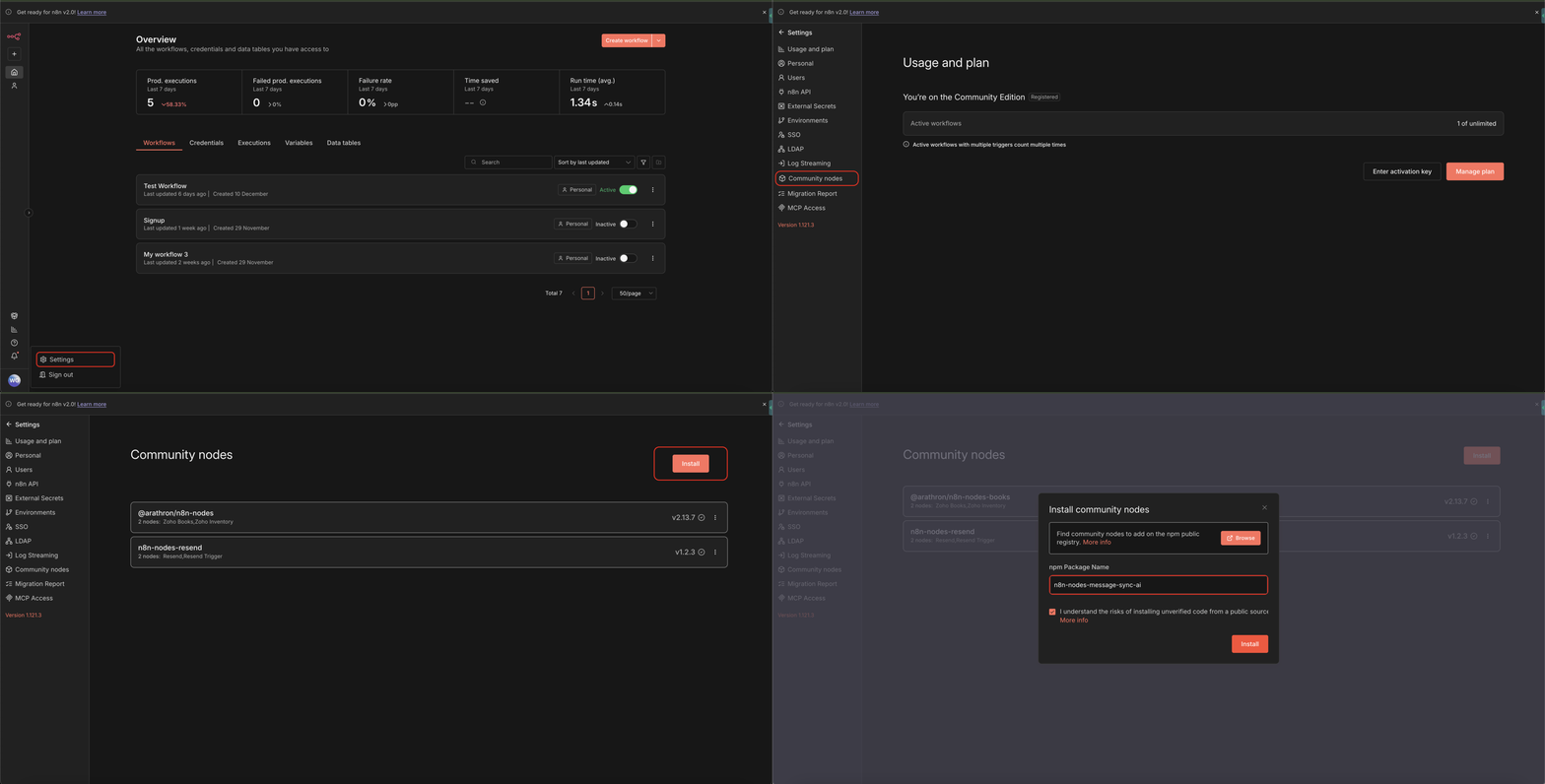
Step 1: Install the MessageSync Community Node in n8n
1
Log in to your n8n dashboard
2
Open Settings
3
Navigate to Community Nodes
4
Click Install
5
Paste the following package name:
6
Complete the installation and restart n8n if prompted
Step 2: Create Credentials in n8n
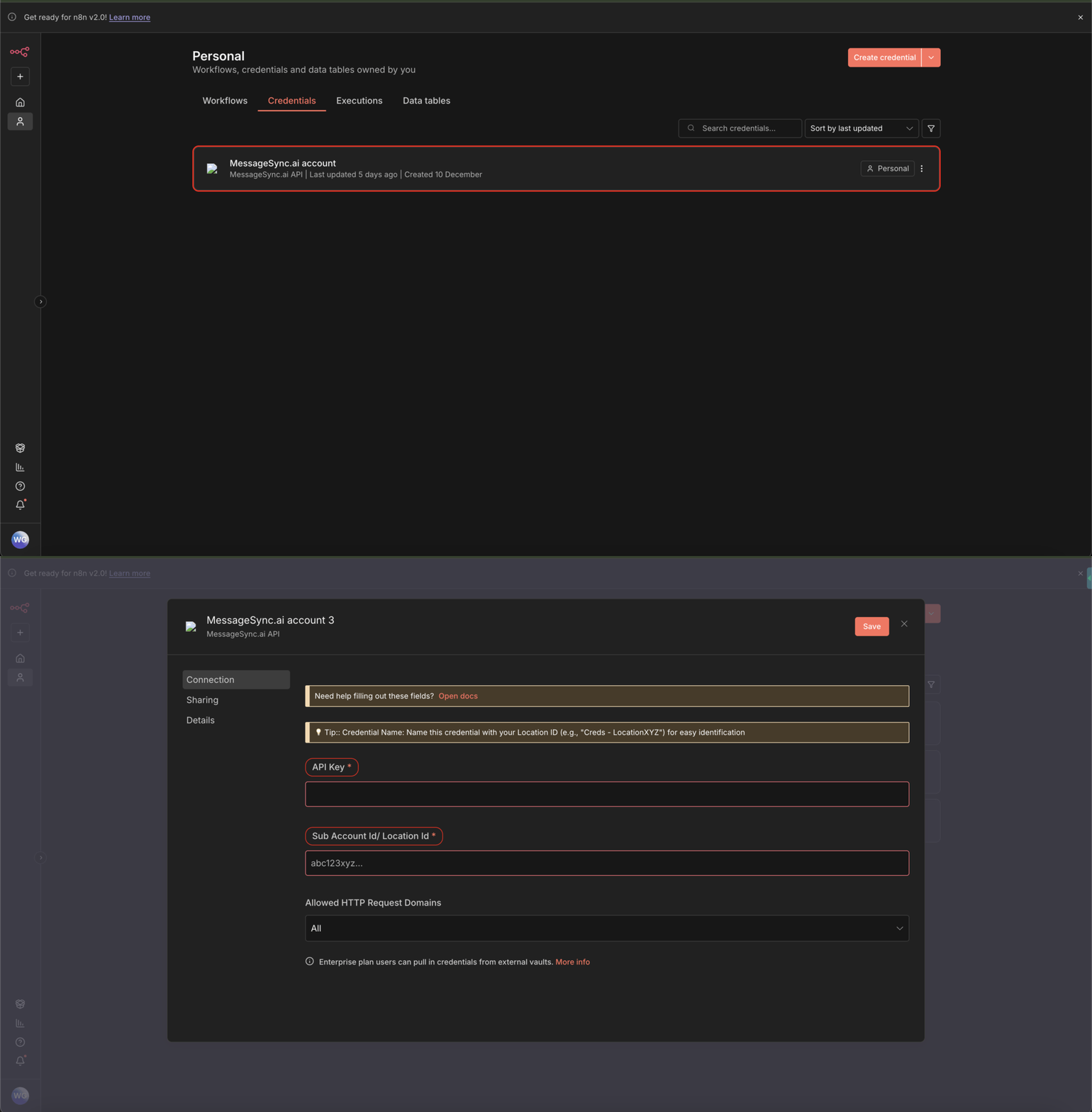
Once the package is installed, you need to configure credentials.1
Go to Credentials in n8n
2
Click on MessageSync.ai or Add Credential and search for MessageSync.ai
3
Open the MessageSync.ai Account credential
Step 3: Generate API Key from the instance setting
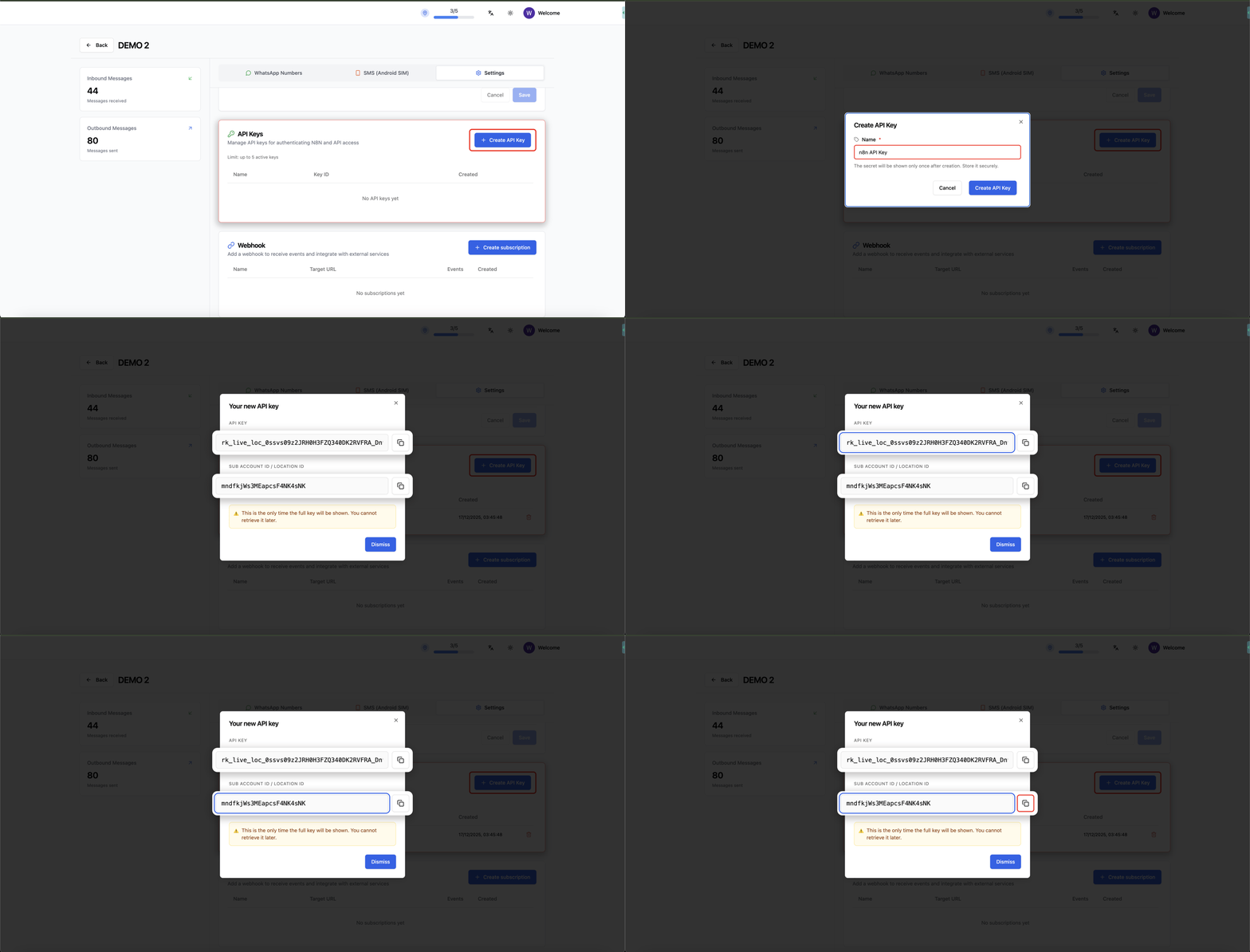
Now you’ll generate the API key required for n8n.1
Go to Settings
2
Scroll down to API Keys Section
3
Create a new API Key for n8n
4
Copy:
- API Key
- Sub-account ID
Step 4: Configure Credentials in n8n
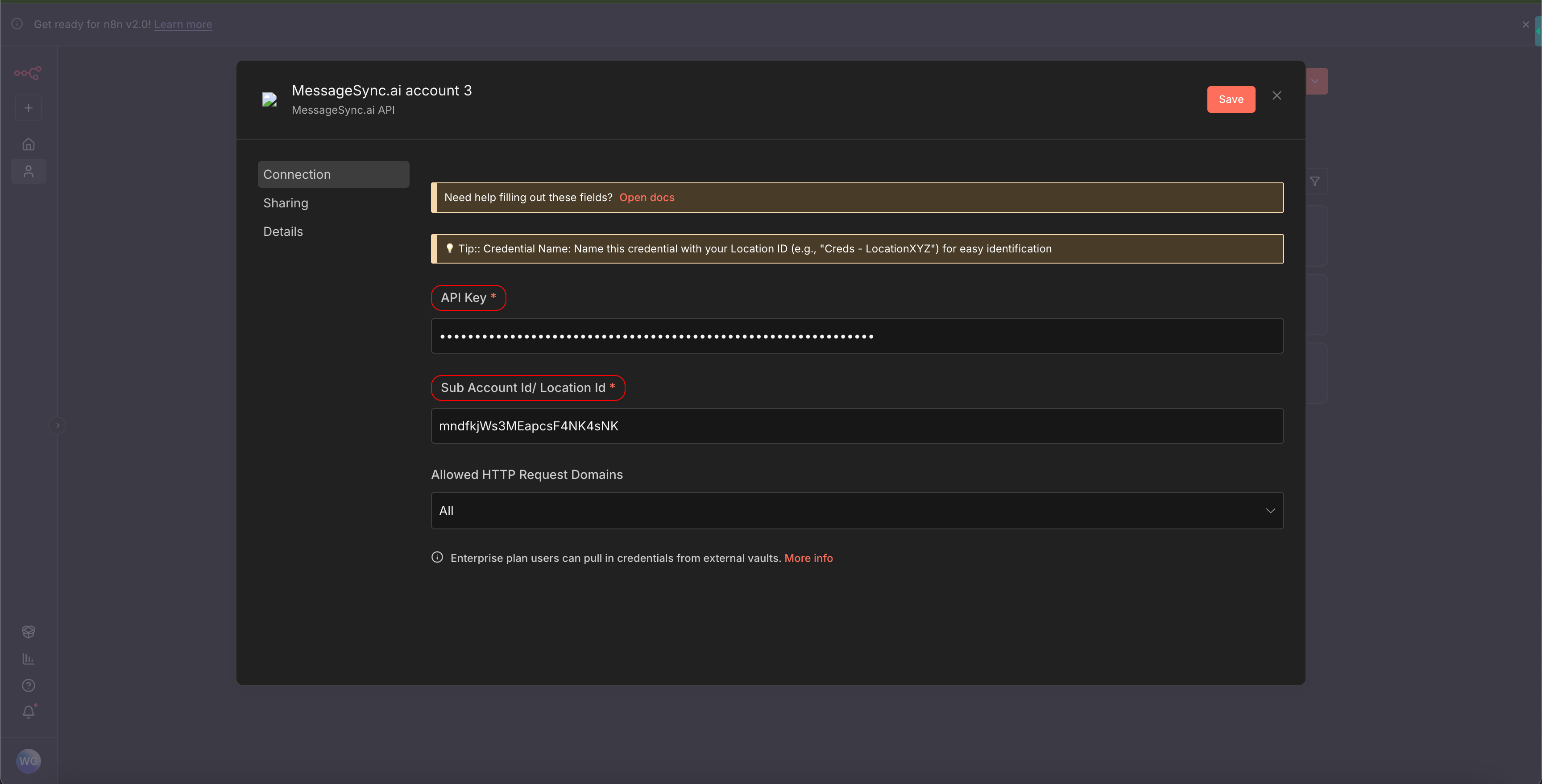
1
Return to the MessageSync.ai credential in n8n
2
Paste:
- API Key
- Sub-account ID
3
Save the credential
Step 5: Create Your First Workflow
1
Go to Workflows
2
Click Create Workflow
3
Click Add Node
4
Search for MessageSync
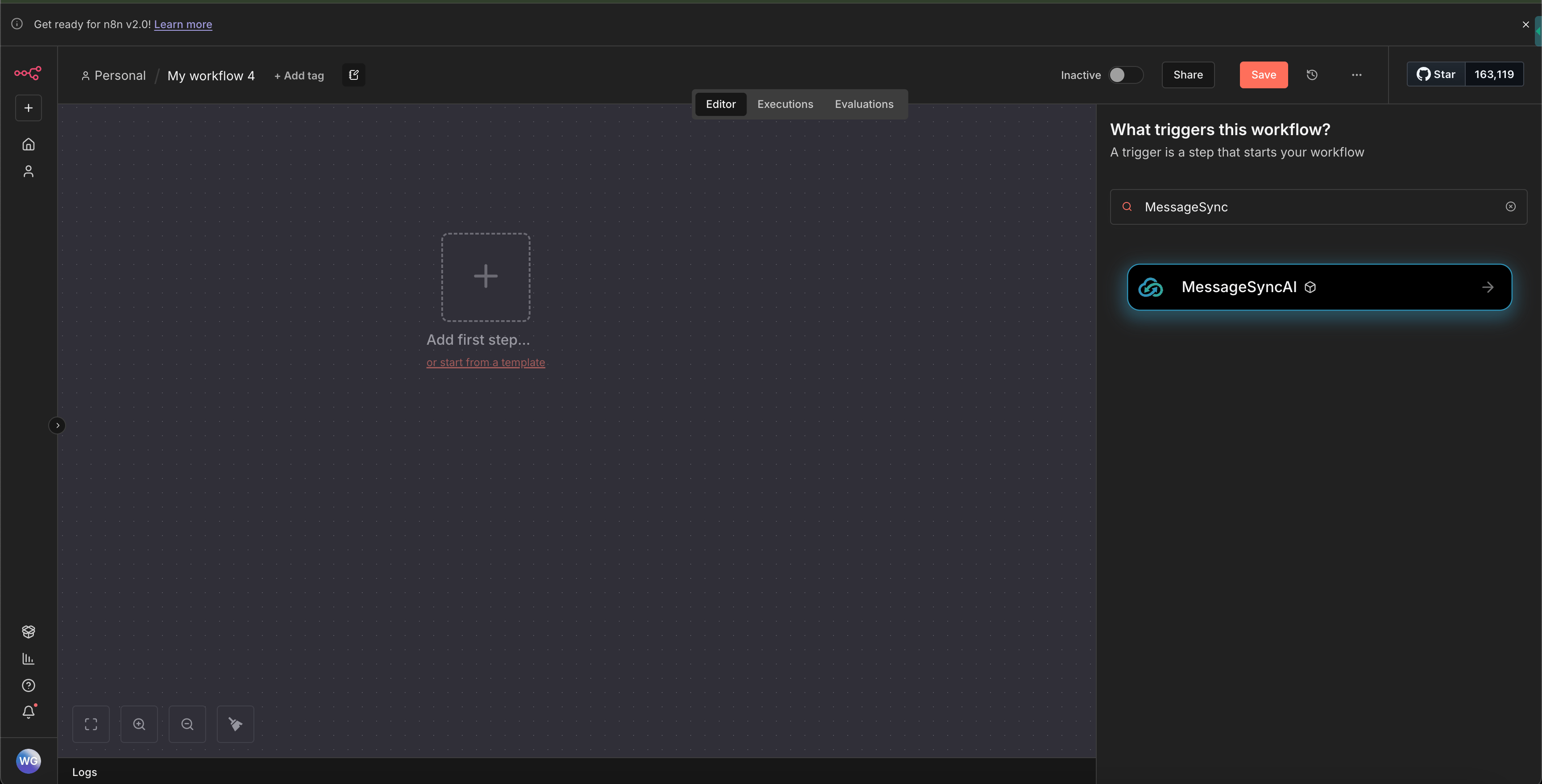
Available Triggers
You can start workflows using the following triggers:Inbound Message Trigger
Triggers when a WhatsApp message is received. Use cases:- Auto-replies
- Lead qualification
- Webhook forwarding
- CRM updates
Outbound Message Trigger
Triggers when a WhatsApp message is sent. Use cases:- Logging messages
- Analytics
- Syncing to external systems
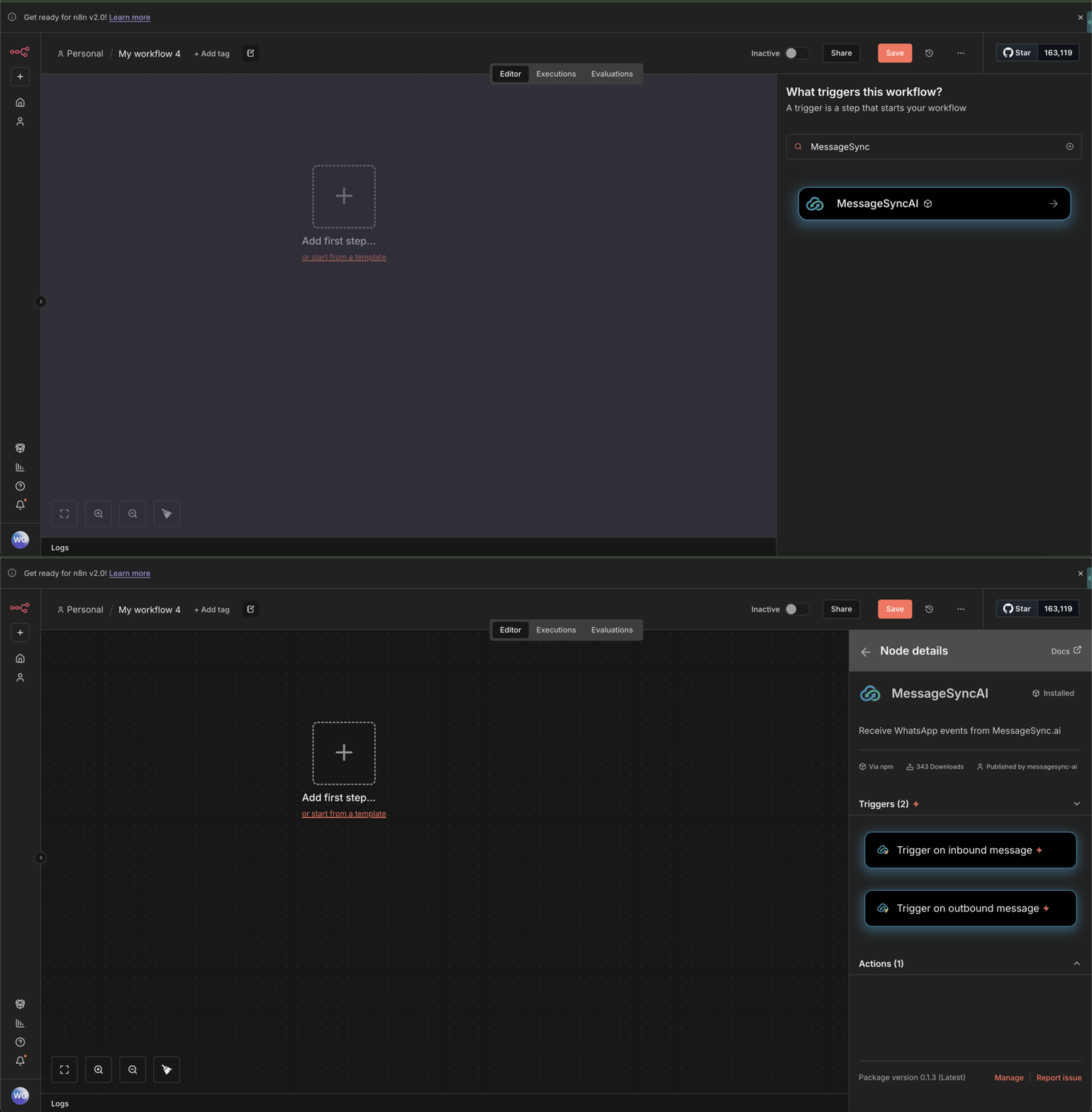
Sending a Message Using n8n
You can also send WhatsApp messages directly from n8n.1
Add a MessageSync → Send Message node
2
Select your configured credentials
3
Provide required fields:
- Contact ID (from CRM) or Phone Number
- Message content
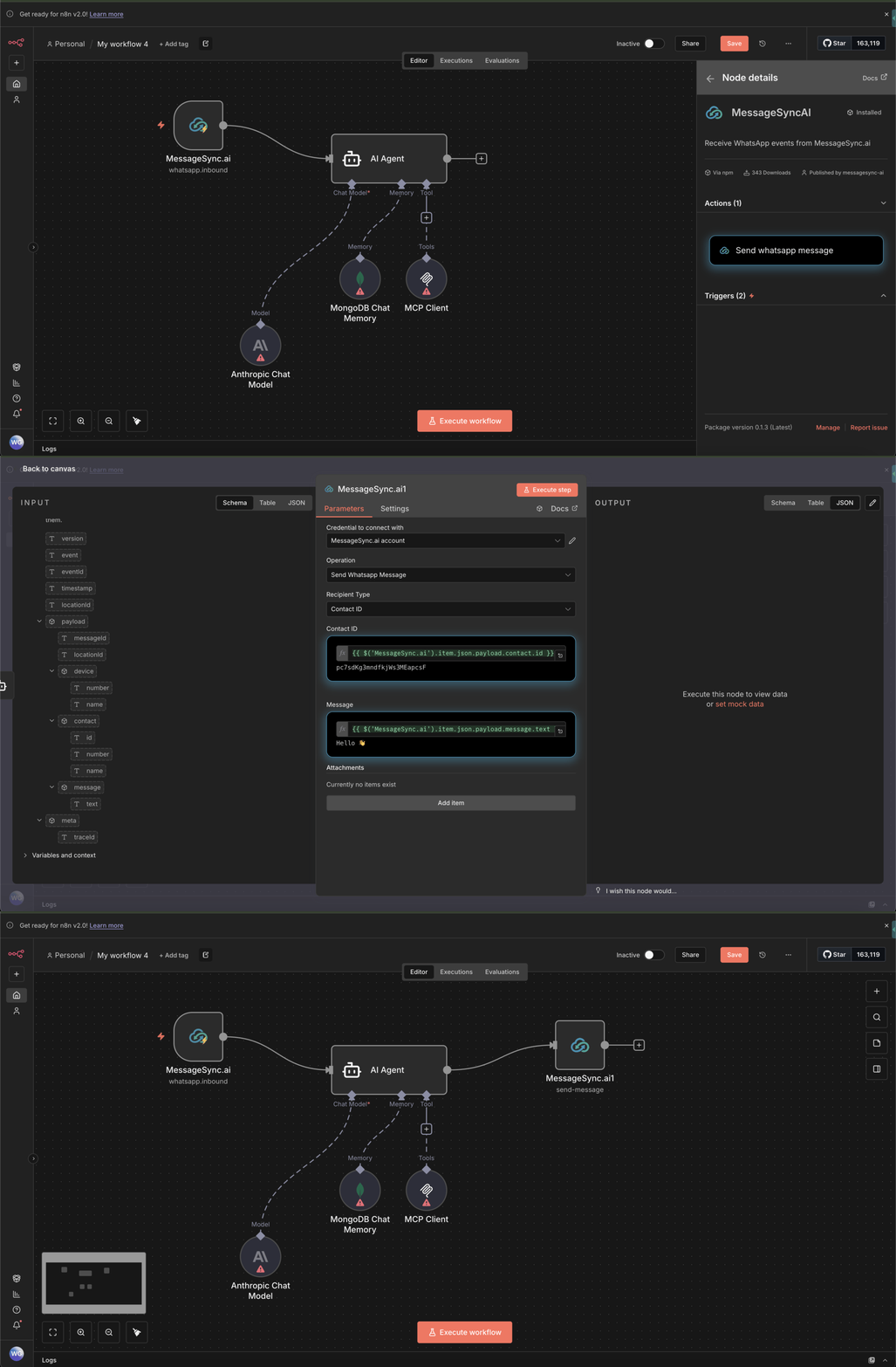
Example: Send Message Using CRM Contact ID
This allows you to:- Send messages to existing contacts
- Trigger WhatsApp messages from any n8n logic
- Combine with webhooks, forms, or databases
Best Practices
- Use inbound triggers for event-driven automations
- Keep API keys scoped to specific sub-accounts
- Log workflows during testing to avoid duplicate sends
- Combine n8n logic with drip and rate-limiting features
Troubleshooting
Node not visible after install- Restart n8n
- Ensure community nodes are enabled
- Re-check API key and sub-account ID
- Ensure the key is active in dashboard
- Confirm the contact exists in CRM
- Validate the WhatsApp number is connected
Support
If you need help setting this up or building workflows:- Reach out via WhatsApp Chat
- Contact support@messagesync.ai
FAQ
Can I use this with multiple sub-accounts?
Can I use this with multiple sub-accounts?
Yes. Each sub-account requires its own API key and credential.
Does this replace CRM workflows?
Does this replace CRM workflows?
No. n8n complements CRM workflows and enables advanced automation.
You’re now ready to build powerful WhatsApp automations using MessageSync + n8n.