

What it is
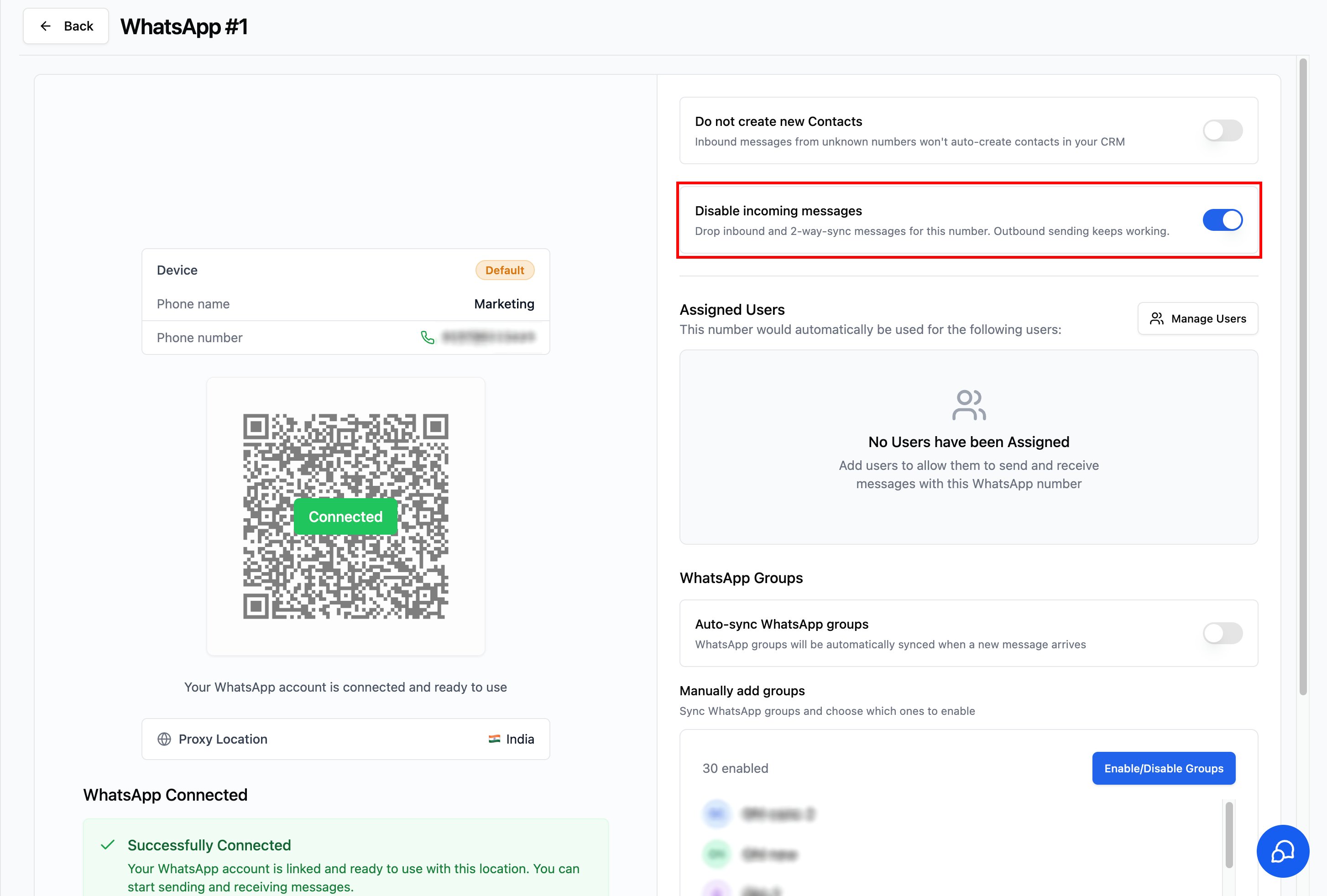
Stops inbound and 2‑way‑sync messages for a WhatsApp number from reaching your CRM. Messages received from contacts, and replies you send from another device (your WhatsApp phone or WhatsApp Web), are dropped and won’t appear in your conversations. Outbound messages sent from your CRM keep working.Where to find it
1
Go to Locations → WhatsApp Numbers
2
Open an instance (e.g., WhatsApp #1)
3
In the right panel, enable “Disable incoming messages”
How it works
- Disabled (default): inbound messages and 2‑way‑sync messages sync into your CRM as normal
- Enabled: inbound messages and 2‑way‑sync messages are dropped and do not appear in your CRM
When to use
- Send‑only or broadcast numbers where you don’t want replies cluttering the CRM inbox
- A number handled entirely in the native WhatsApp app, with the CRM used only for outbound campaigns
- You want to cut noise from a high‑traffic number while keeping outbound automation running
Notes & limitations
- Applies only to the selected instance; other WhatsApp numbers are unaffected
- Does not affect outbound sending
- Does not delete existing conversations or messages already synced
- Change takes effect immediately — no need to reconnect the number
Support
If you need help with the setup or onboarding:- Email: support@messagesync.ai